A label printer
built into your compliance system
Print allergen, use-by, freezer, defrost and Natasha's Law sale labels in seconds — powered directly by your KitchenPortal recipe data. No separate software and no double entry — the allergens on the label are the ones in the recipe you built in KitchenPortal.
- All 14 major allergens auto-populated from your recipes
- PPDS sale labels in the Natasha's Law format — out of the box
- Use-by date calculated automatically from prep date
- Every label logged with a QR code — a date-control record, not just a sticker
- Managed Sunmi device — arrives pre-configured, just plug in and print


The device — and the labels it actually prints
No mockups. This is a managed Sunmi label printer printing real labels in the Natasha's Law PPDS format, straight from a working kitchen.
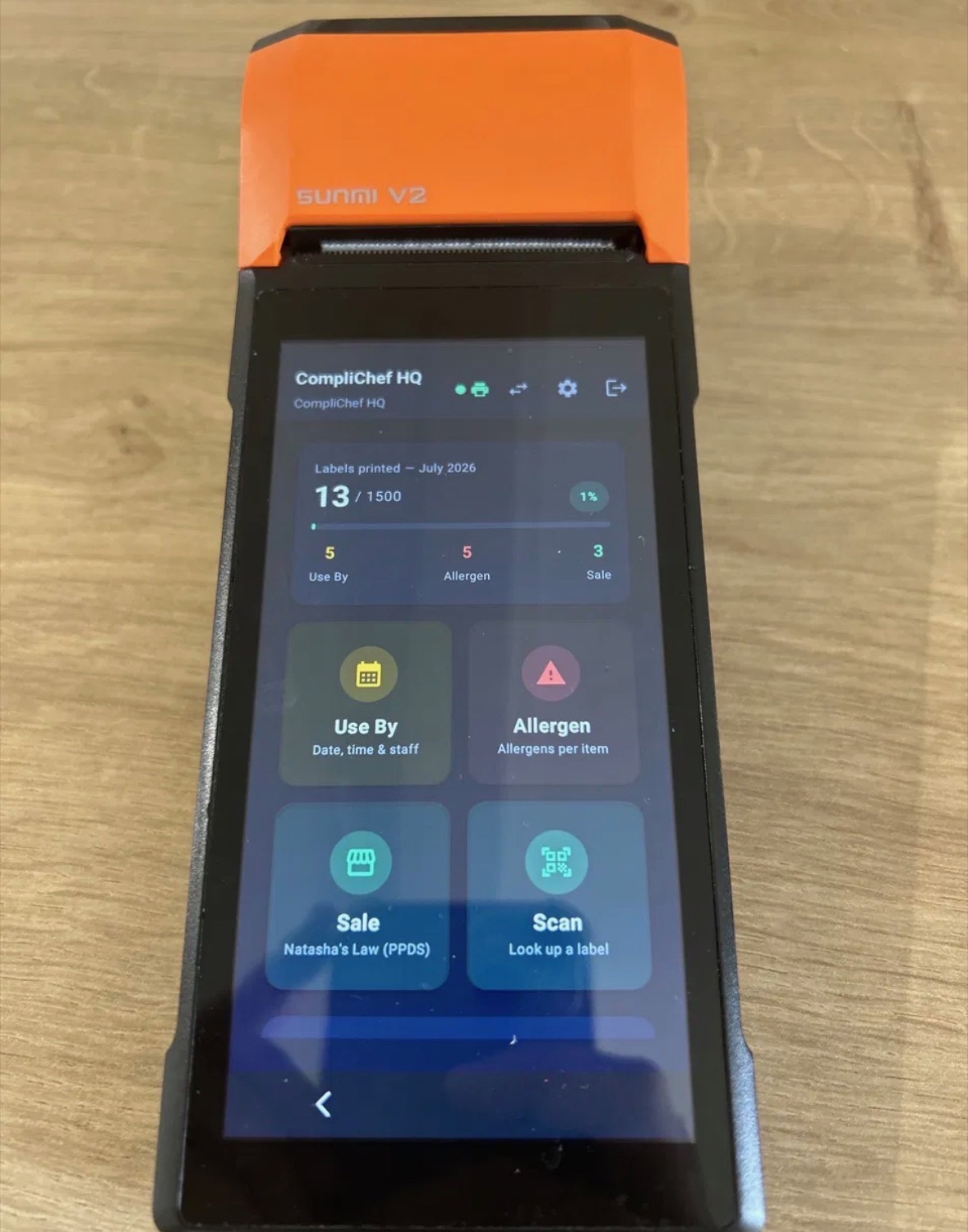
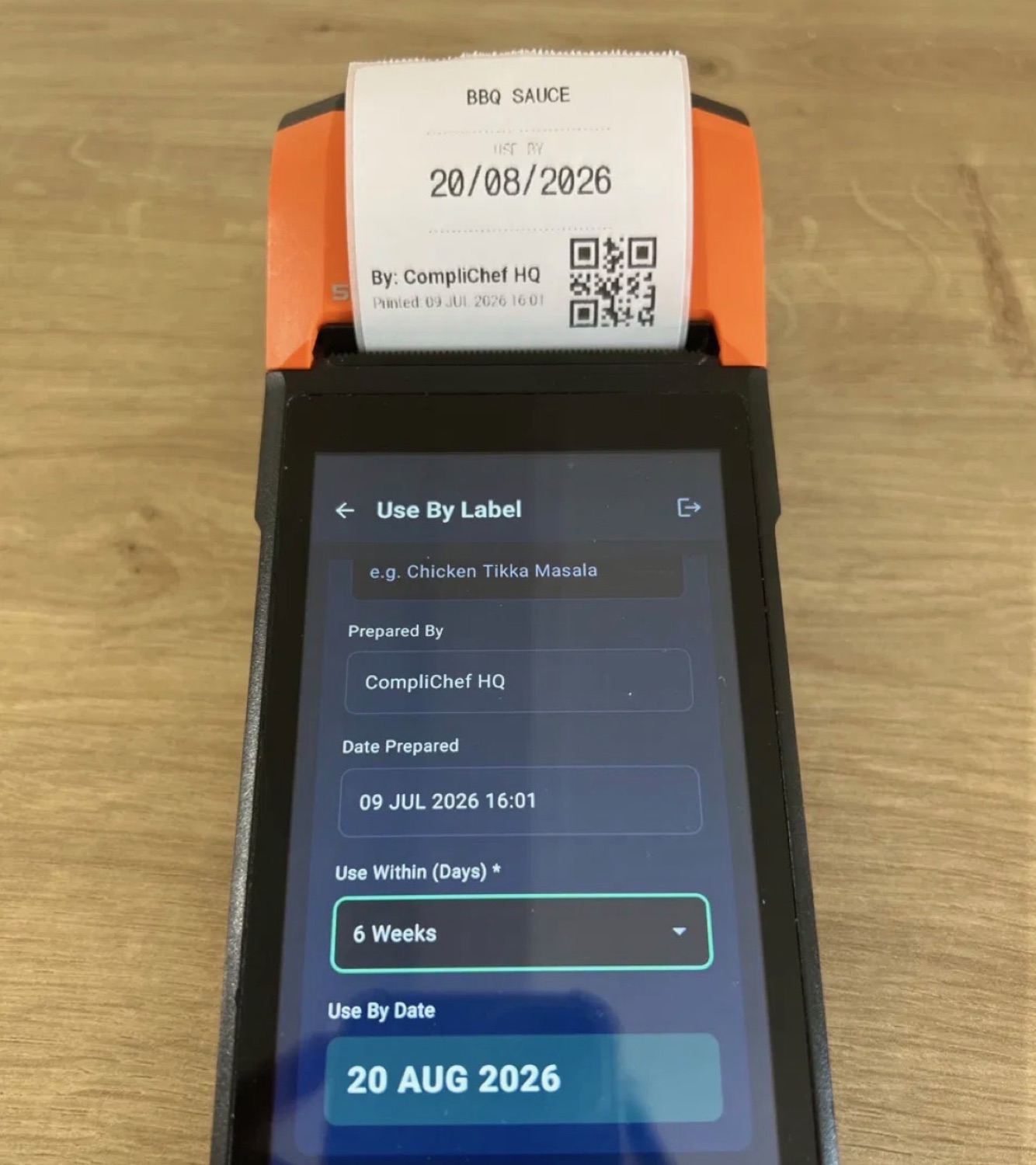

Each label carries a unique QR code — scan it any time to verify what was made, by whom, and when.
Real screenshots, every label type
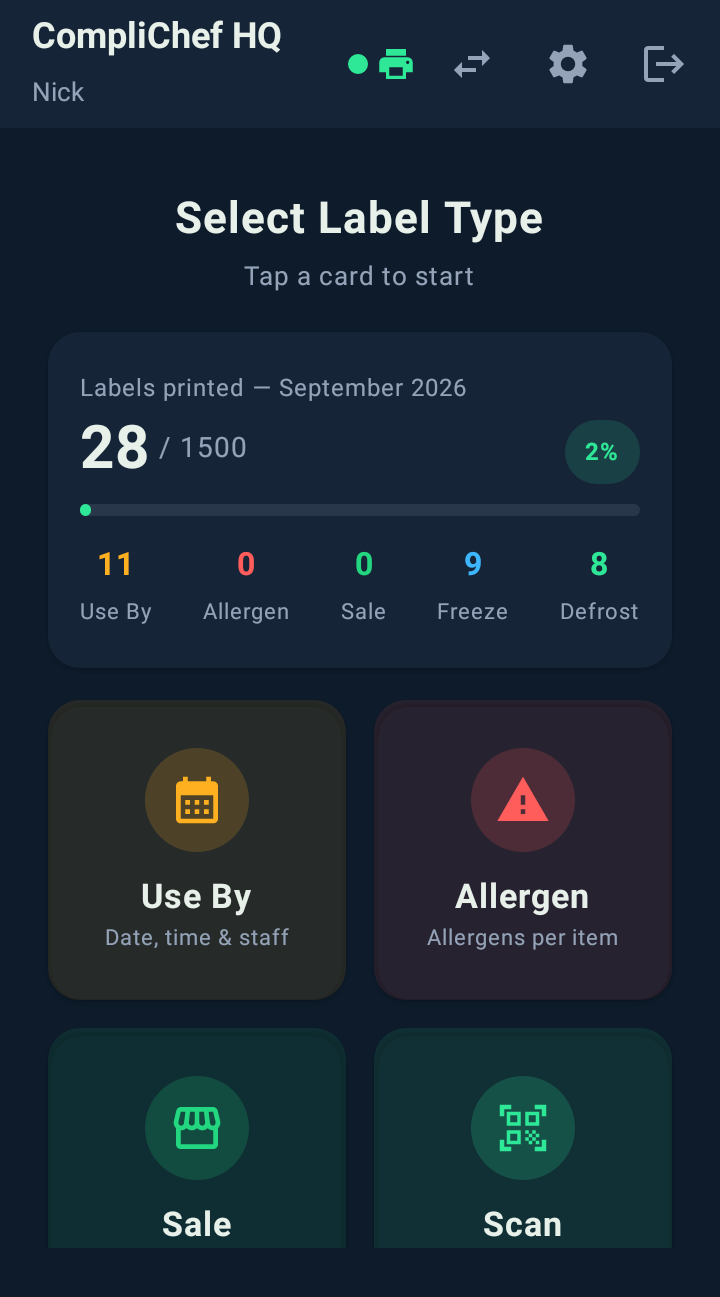
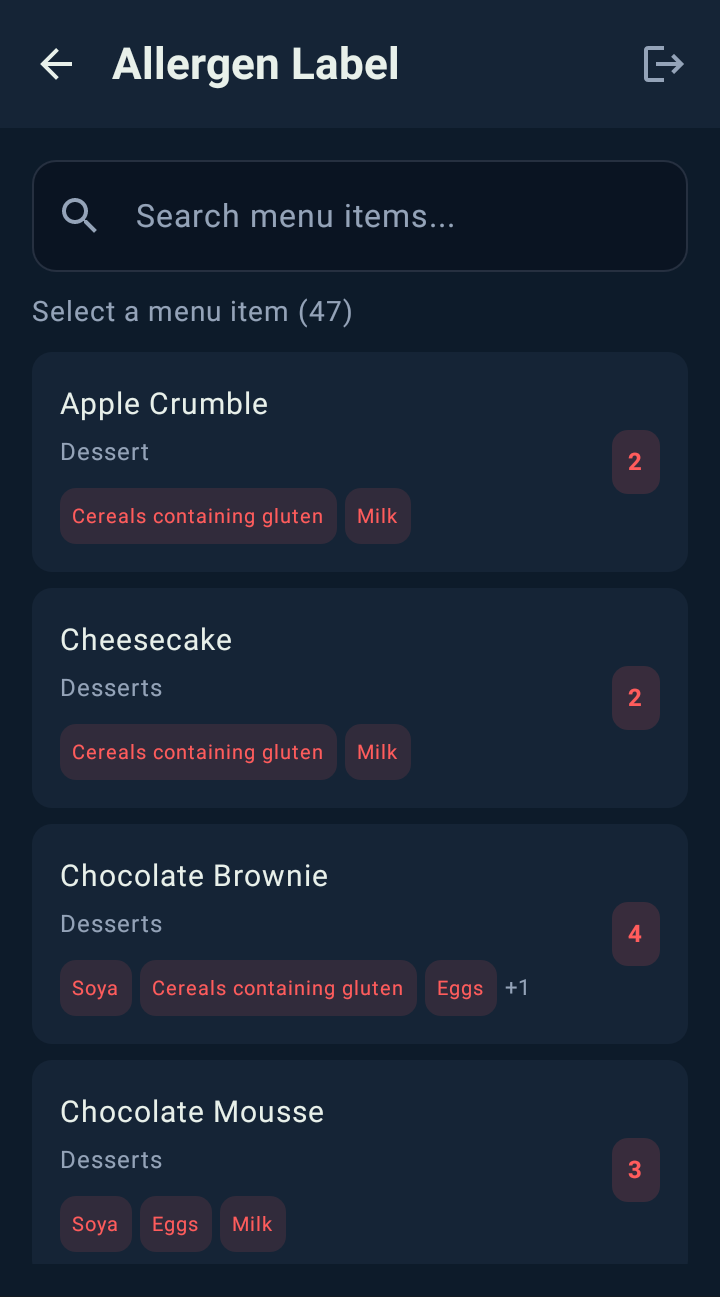
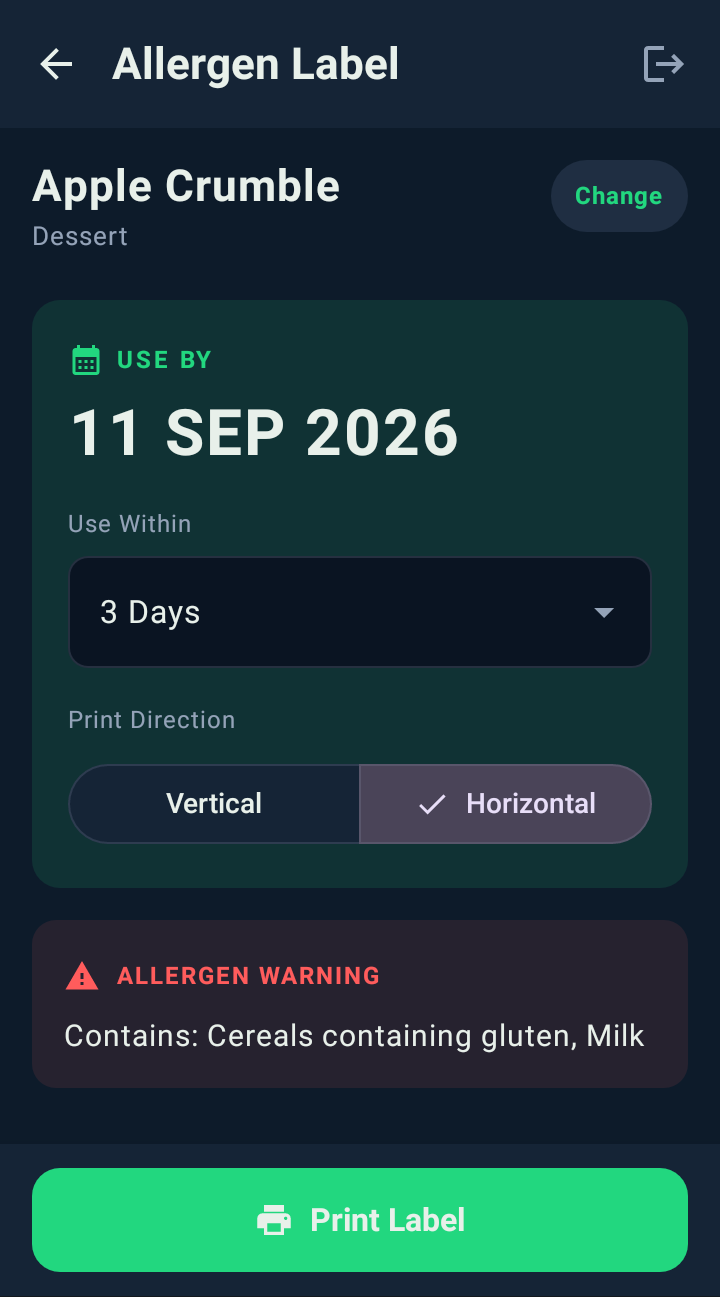
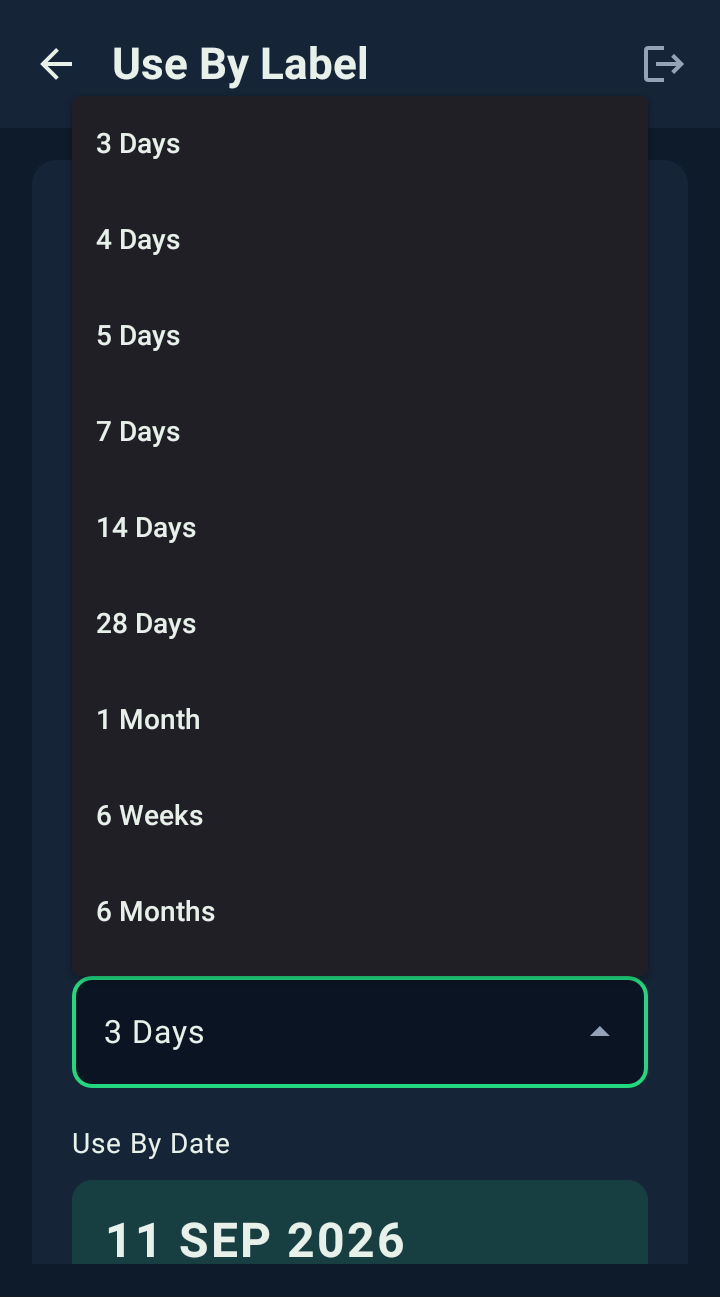
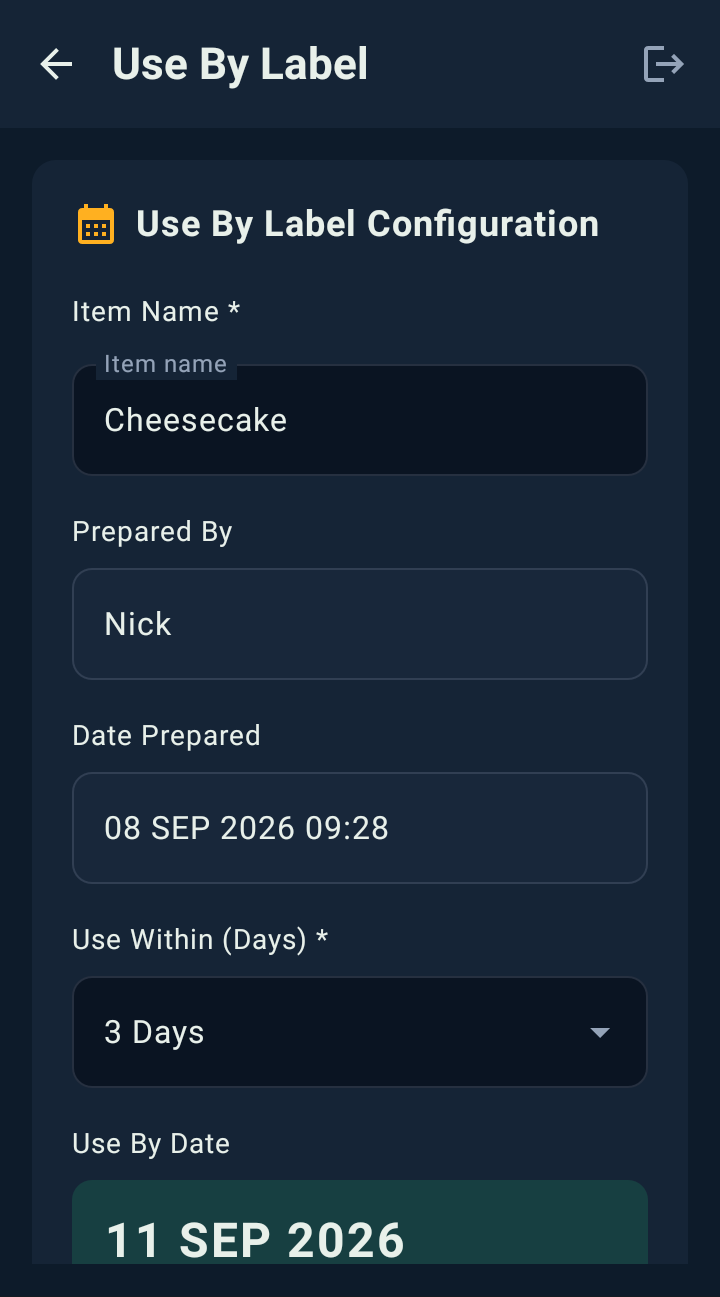
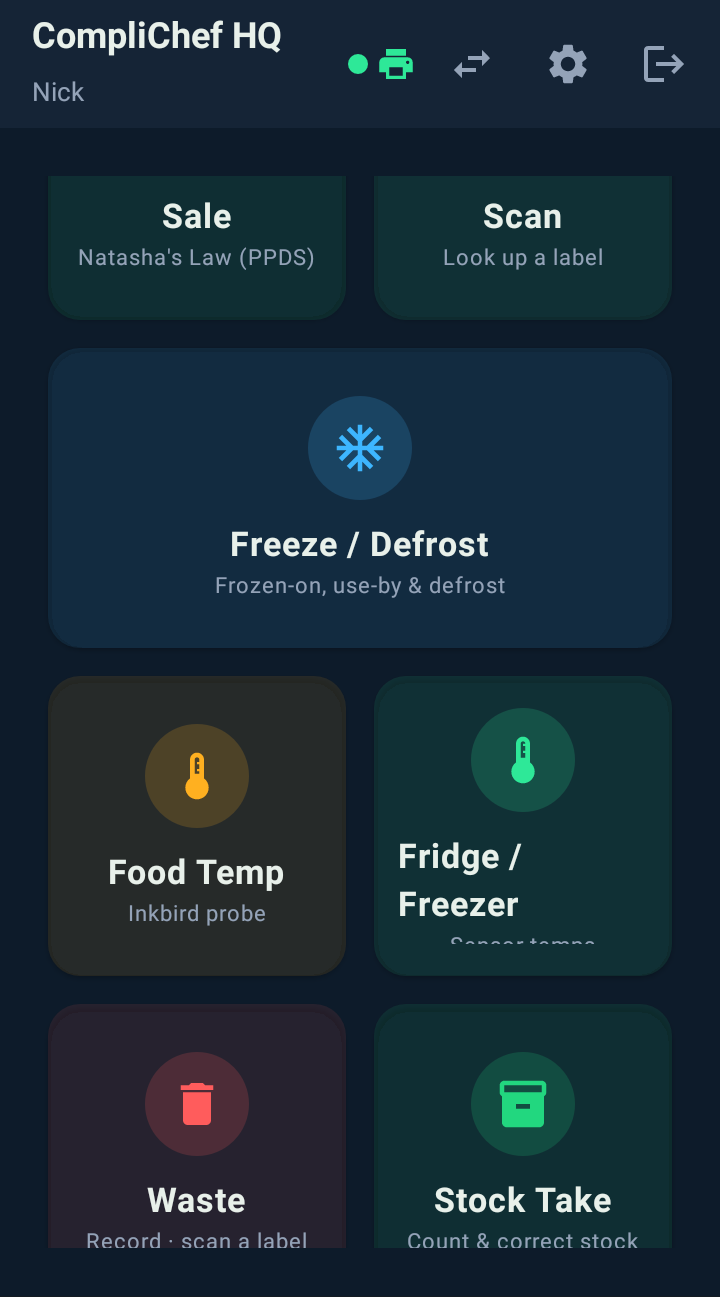
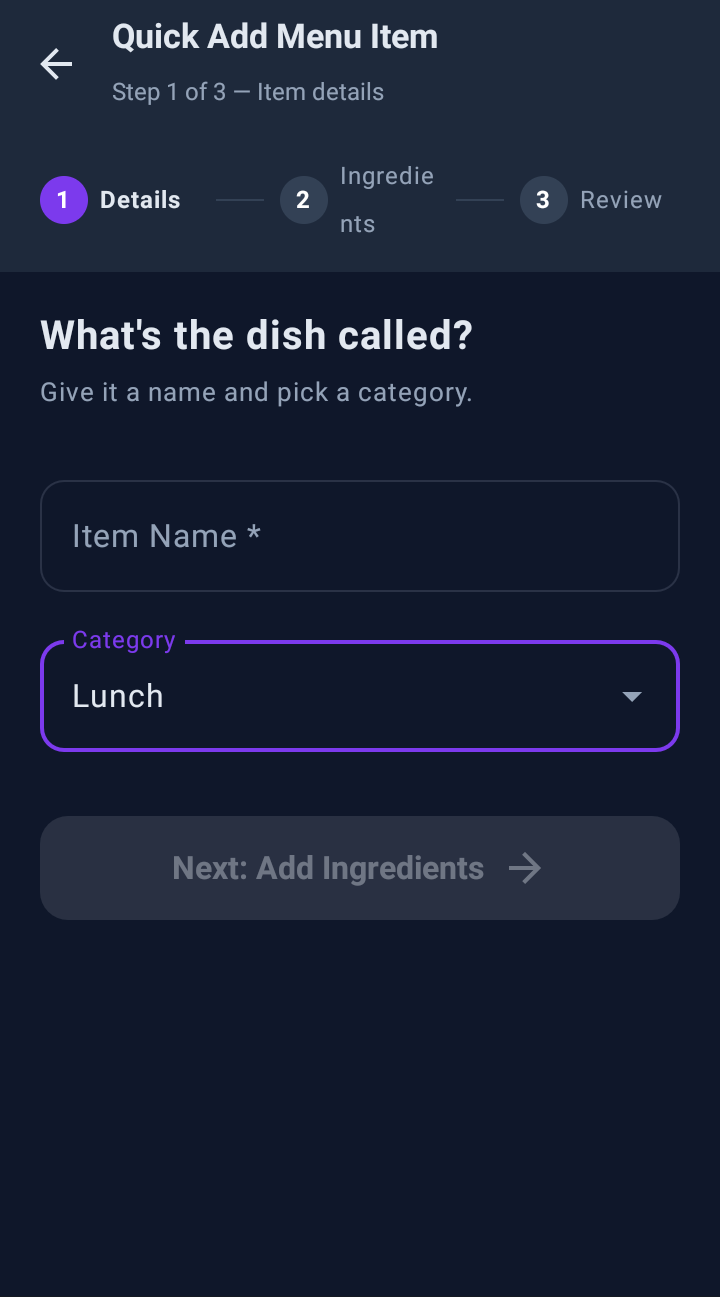
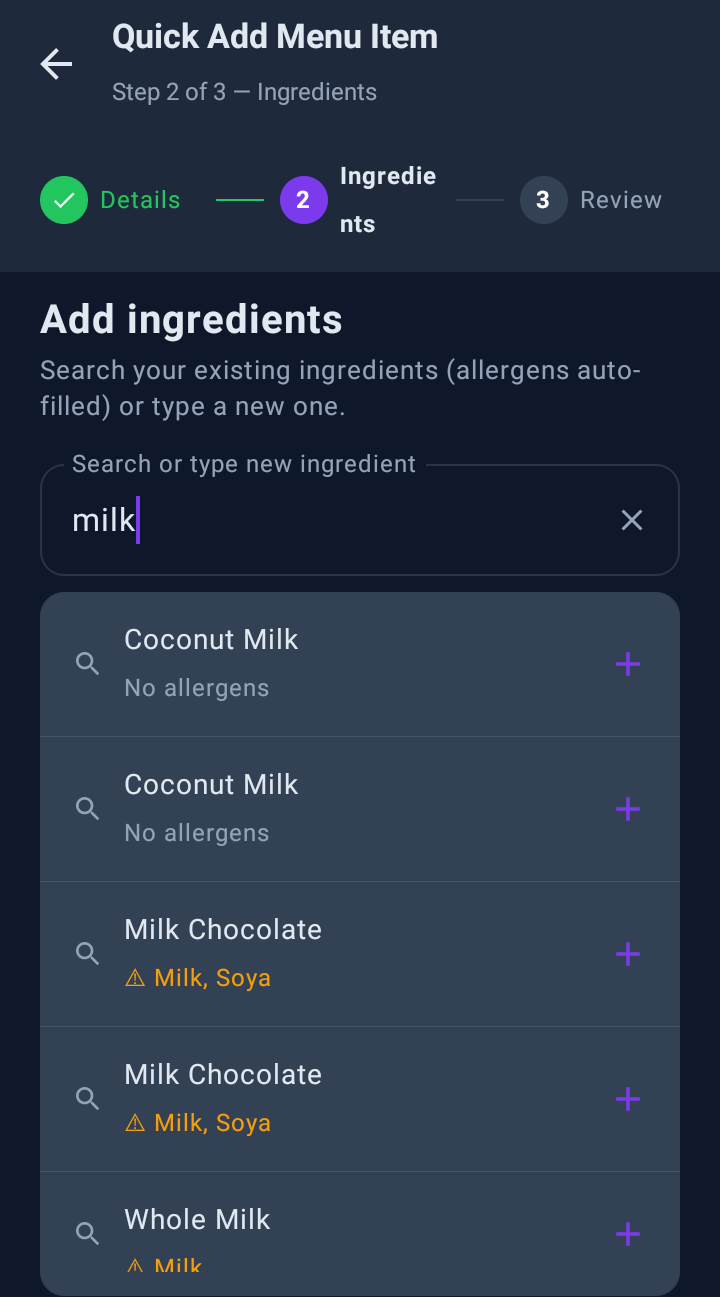
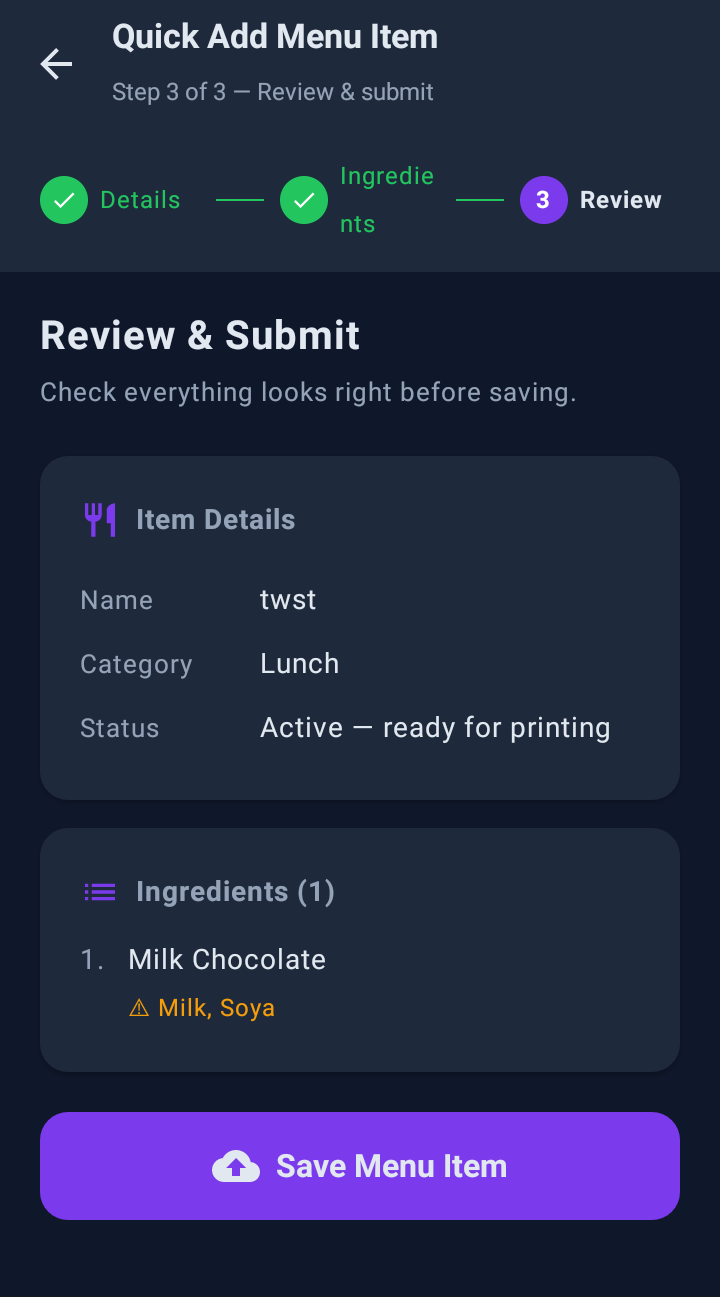
These are actual screenshots taken straight from the CompliChef Labels app running on a Sunmi device. Click a label type to explore the flow.
Three reasons kitchens put the biro down
Handwritten day dots ask your team to remember the right answer at the worst possible moment — mid-service, one hand free, covered in flour. A printed label just knows.
The label can't disagree with the recipe
Allergens come straight off the dish in KitchenPortal, so the label says exactly what's in it — all 14 majors, spelled the same way every time. Change an ingredient once and every label printed after that change is right. No stale list taped to the wall, no relying on whoever happens to be on prep that morning.
A few taps beats a biro and a guess
Pick the item, pick how long it keeps, print. The use-by date is worked out for you, the prep time and the staff member's name go on automatically, and nobody downstream has to decipher anyone's handwriting. New starters get it right on their first shift, because the device asks the questions instead of expecting them to already know the answers.
Every label is a record, not just a sticker
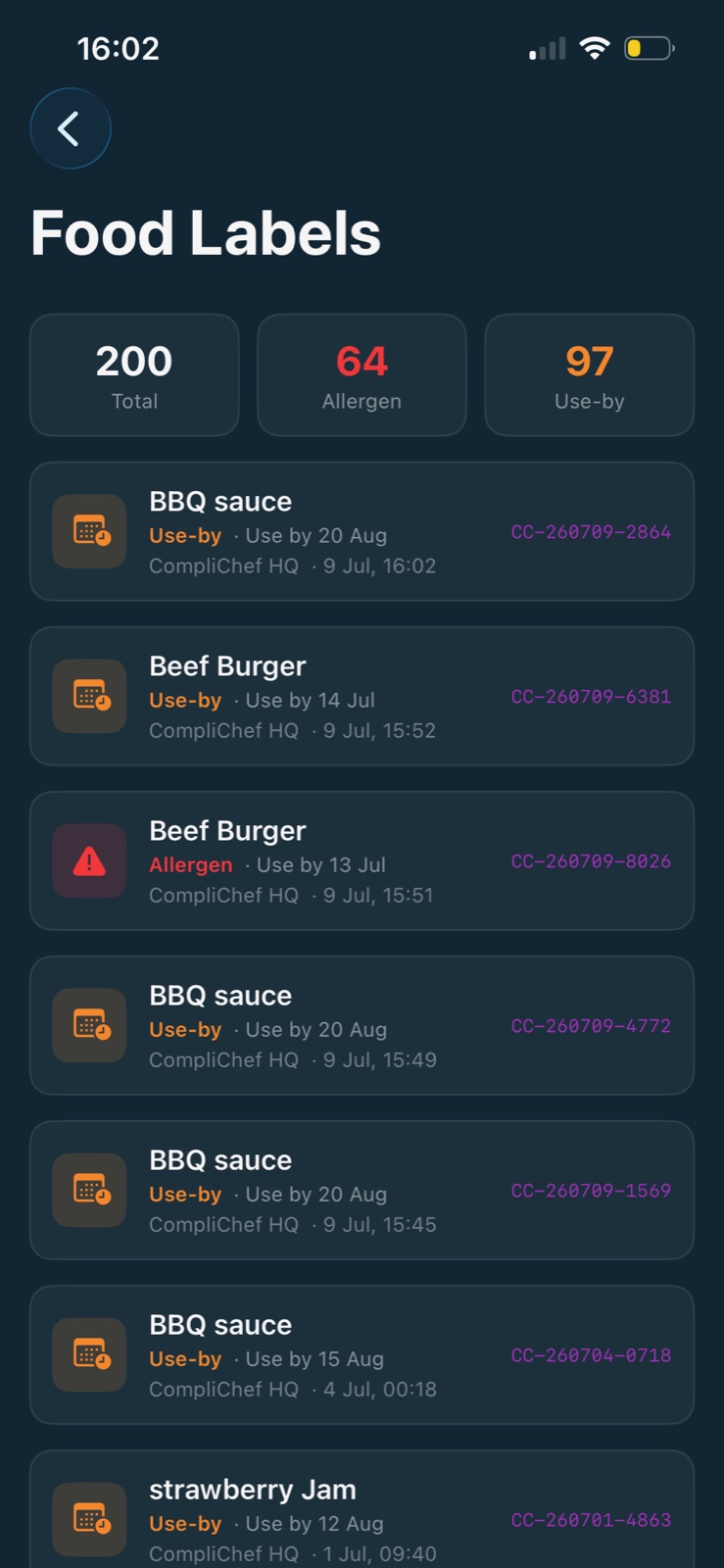
Each one carries a QR code and is logged the moment it prints — what it was, who printed it, when, and when it runs out. So when an environmental health officer asks how you manage date control, the answer is a searchable history you can pull up on the spot, rather than a promise that the system works.
The difference isn't the printer — it's that this one is part of your compliance system rather than a separate box on the shelf. Nothing to reconcile at the end of the week, because the record was made at the moment the label came off the roll.
Every label your kitchen needs
Prep, freezing, defrosting and counter sales all carry different date rules. Rather than make your team remember which is which, the app asks the right questions for each one and prints accordingly.
Built for Natasha's Law (PPDS)
Sale labels print the full ingredient list with allergens emphasised in bold — the label format required by The Food Information (Amendment) (England) Regulations 2019 (Natasha's Law) for Pre-Packed for Direct Sale (PPDS) foods. The ingredient and allergen information comes from your KitchenPortal recipes, and you remain responsible for it being complete and accurate.
All 14 allergens,
straight from your recipes
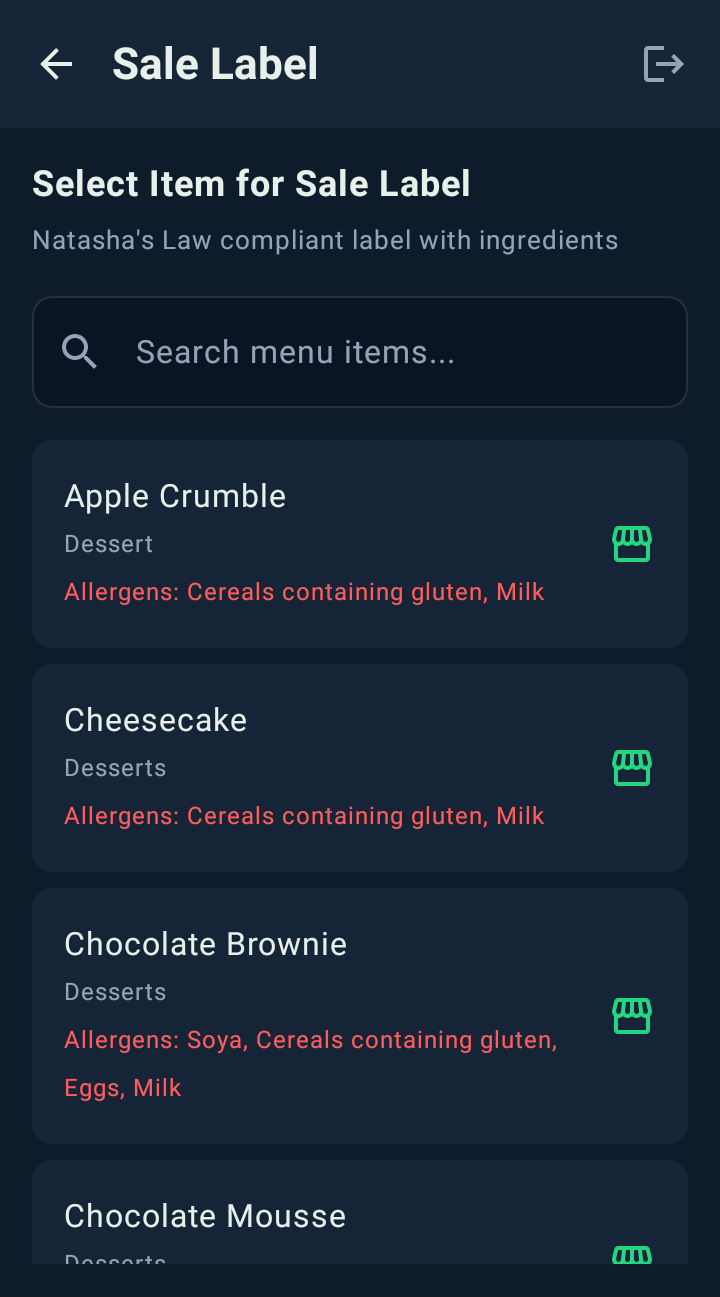
Select any menu item and every allergen is pulled live from your KitchenPortal recipe data. No re-typing at the label stage — the label shows what your recipe says.
- A Contains: line on every label, allergens named in full
- Allergen count badge on every menu item
- Search all your menu items in seconds
- Prominent ALLERGEN WARNING banner when present

Use-by dates calculated for you
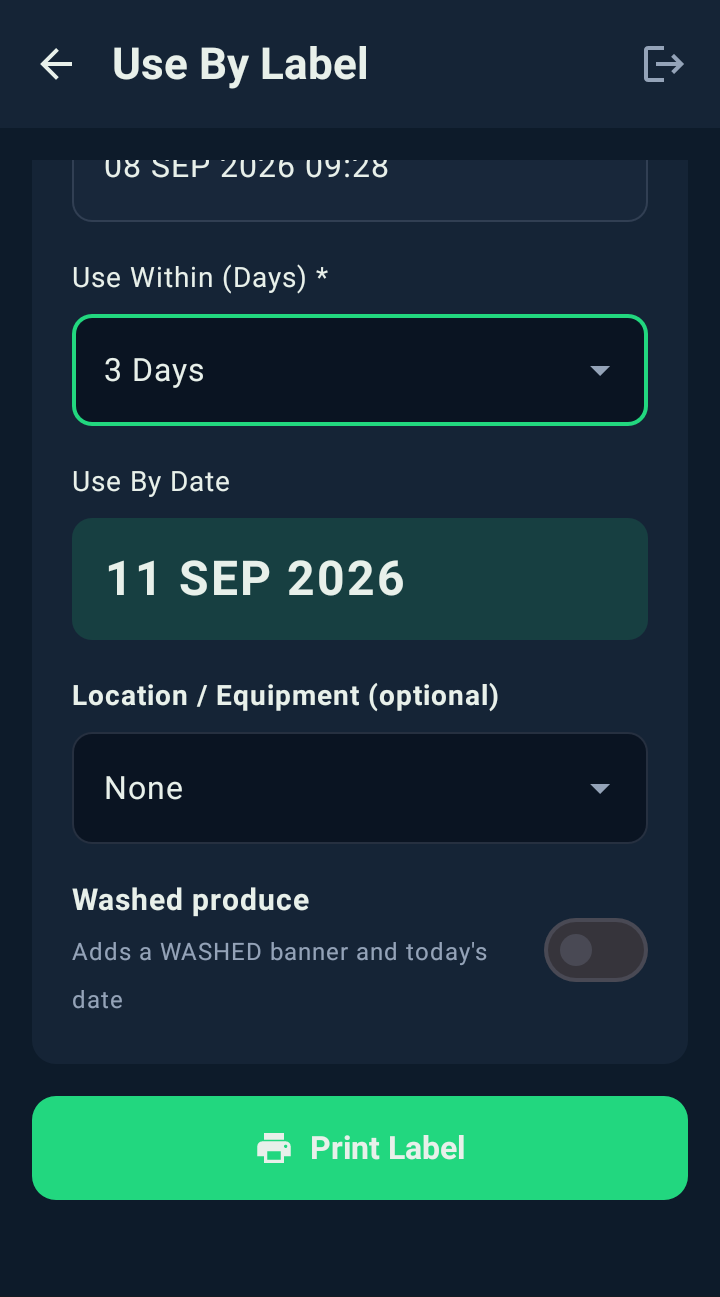
Enter the item name and select how many days it's safe to use — CompliChef Labels calculates and prints the exact use-by date automatically.
- Preparation date and time auto-stamped
- Eleven windows: 1–28 days, 1 month, 6 weeks or 6 months
- Clear "USE BY: DD MMM YYYY" displayed prominently
- Prepared By pre-filled with the signed-in staff member

The freezer is where date control breaks down
Freezing pauses the clock. Defrosting starts a much shorter one. Most kitchens track the first badly and the second not at all — which is exactly what an inspector goes looking for.
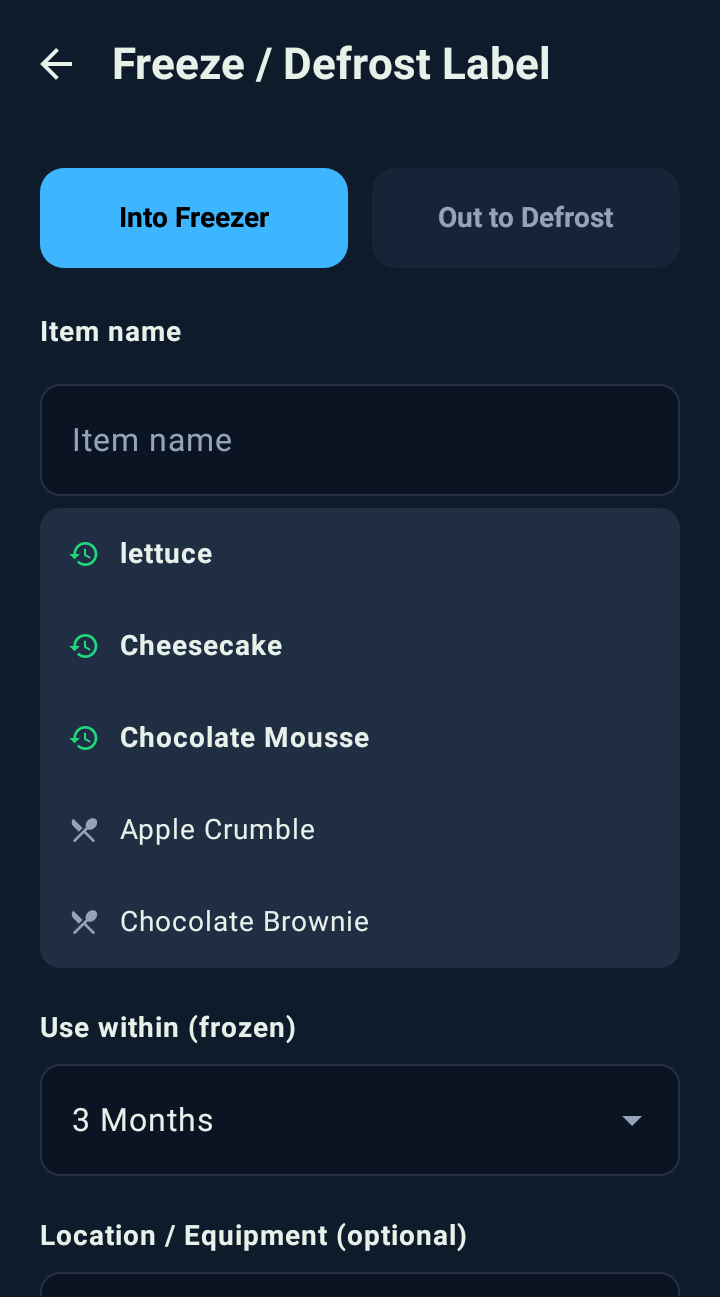
- Into Freezer stamps the frozen-on date and a frozen use-by, up to 3 months
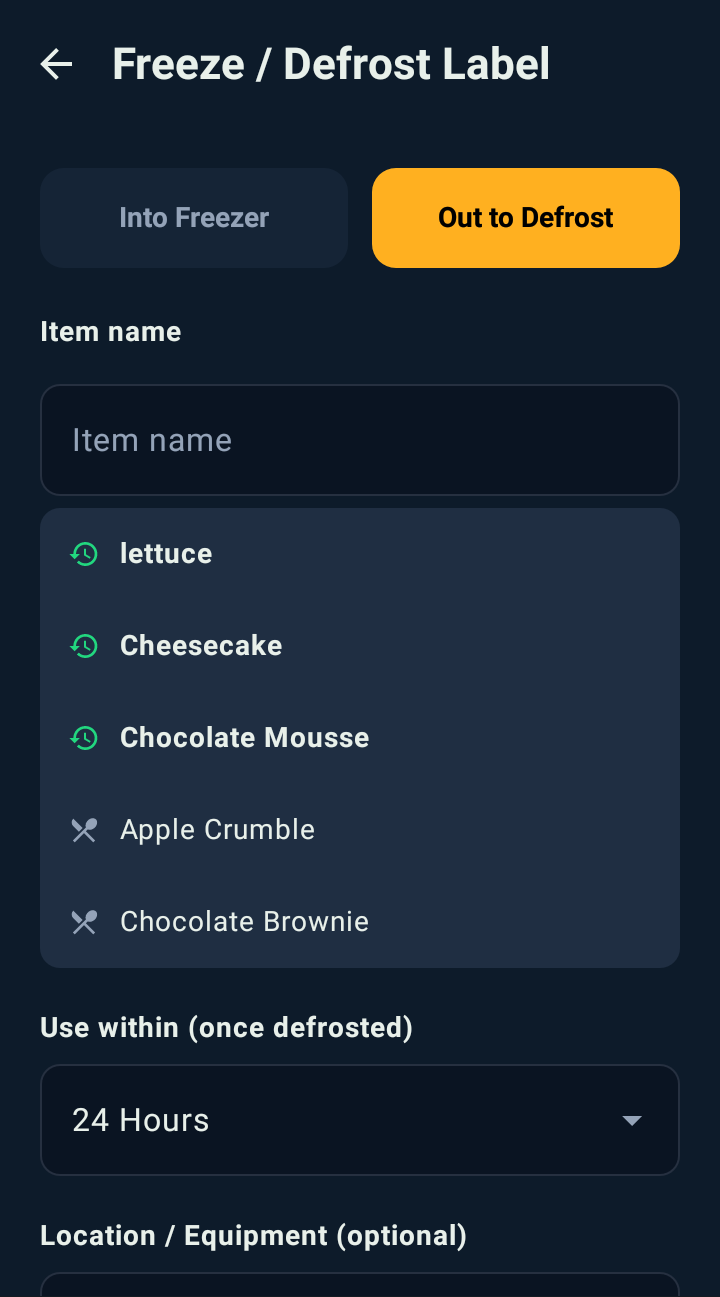
- Out to Defrost swaps to the shorter once-defrosted window — 24 hours by default
- Recently frozen items are suggested as you type, alongside your menu
- Location or equipment can be recorded, so you know which freezer it's in

Sale labels that meet the law
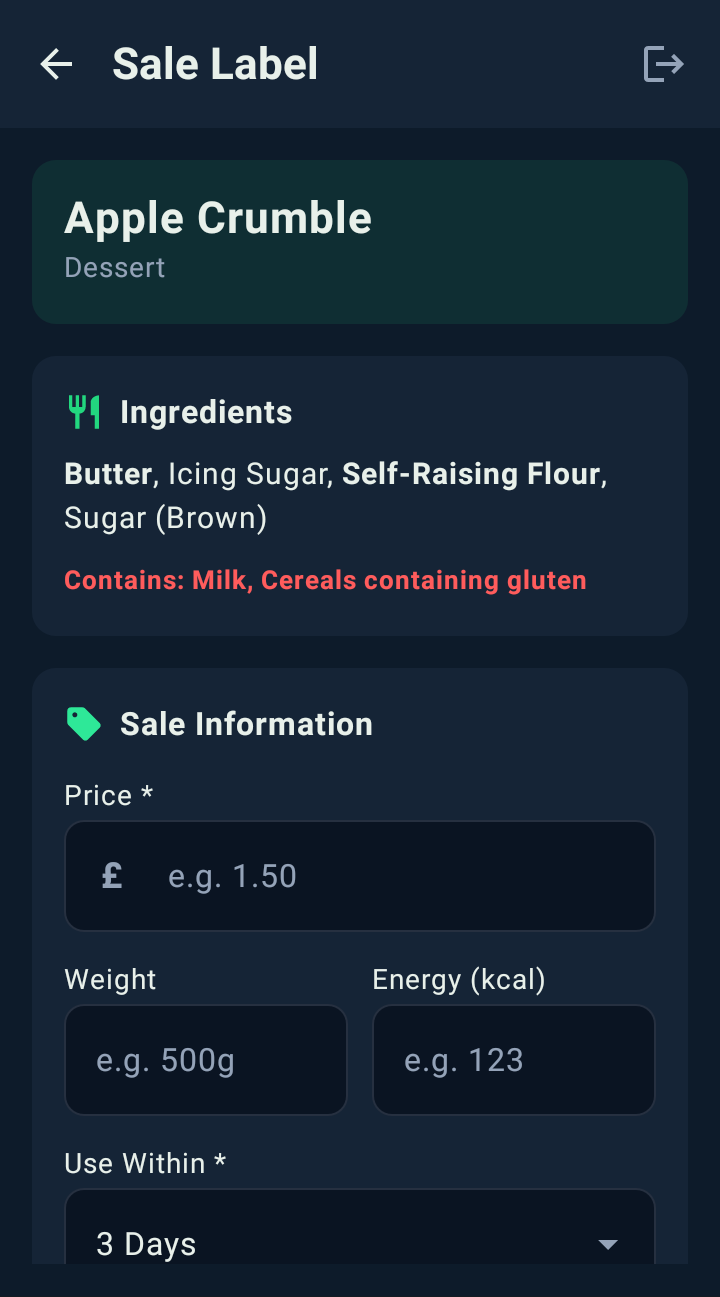
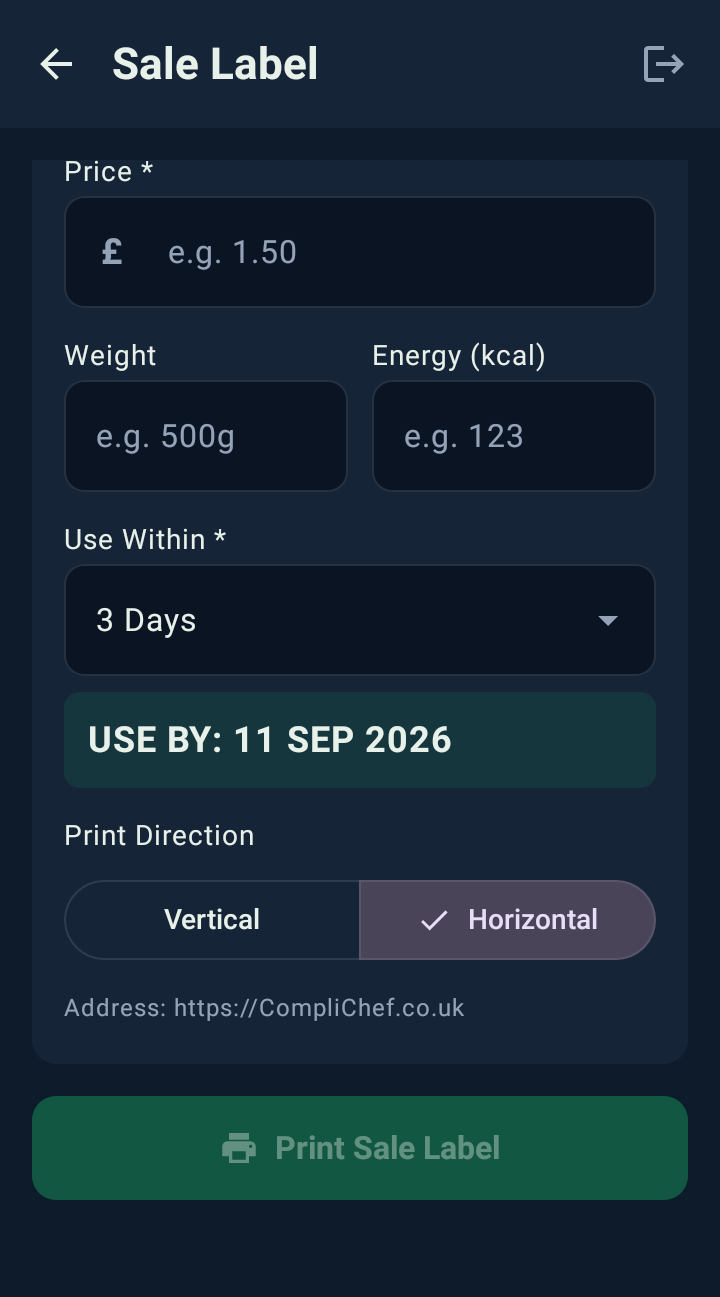
Pre-Packed for Direct Sale foods must carry a full ingredients list with allergens emphasised. CompliChef Labels generates these automatically from your menu recipes — no separate data entry needed.
- Full ingredients list pulled from KitchenPortal recipes
- Allergens automatically highlighted in bold
- Price, weight and energy (kcal) fields included
- Use-within and use-by date on the same label

Scan labels to verify freshness
Every printed label carries a QR code. Scan it at any time to instantly check when it was prepared, who prepared it, and whether it's still within date — reducing food waste and proving due diligence.
- Instant camera-based QR code scanning
- Returns prep date, use-by date and preparer
- Expiry report helps reduce kitchen waste
- Full audit trail linked to KitchenPortal records

Badge login — zero friction
Managers send each team member a unique QR code badge by email. Staff simply hold their phone up to the device camera to sign in instantly — no passwords, no PINs to remember.
- Owner or manager generates badges via the MDM panel
- Badge emailed directly to each staff member
- Scan badge on device camera to sign in instantly
- Each label is attributed to the staff member who printed it

Built for the kitchen floor
Designed for fast, gloved hands on a Sunmi label printer device — every screen is large, clear and requires minimal taps.


You can see the allowance being used, on the device
The 500 labels a month aren't a figure buried in a contract. The home screen carries a running count for the current month, split by type — so a head chef can tell at a glance whether the kitchen is on track, and nobody discovers an overage at the end of a billing period. Tap through and the full print history is there behind it: what was printed, by whom, and when.
Paper day dots and generic
printers can't do this
Most food businesses use paper stickers written by hand, or a standalone label printer with no link to their compliance records. Here's what that's missing.
- ✗ Handwritten — prone to mistakes
- ✗ No allergen information at all
- ✗ No Natasha's Law compliance
- ✗ No traceability record or audit trail
- ✗ Can't prove due diligence to an EHO
- ✗ Separate software — no compliance link
- ✗ Allergens typed in manually each time
- ✗ No connection to your recipe database
- ✗ You manage all hardware and updates
- ✗ If ingredients change, labels may lag
- ✓ Allergens auto-pulled from KitchenPortal
- ✓ Natasha's Law PPDS labels in one tap
- ✓ Use-by dates calculated automatically
- ✓ QR traceability — full audit trail
- ✓ Managed device — hardware taken care of
One simple plan — everything included
You buy the Sunmi V3 outright and it's yours. It arrives pre-configured, MDM enrolled and ready to print from day one, and it prints straight from your KitchenPortal recipes.
- Yours from day one — no rental, no deposit
- Label rolls bought as you need them — from £1.50 a roll
- CompliChef Labels app, licensed with your plan
- Remote MDM management & software updates
- KitchenPortal integration included
- Priority support
🧩 Your ecosystem plan
Labels print from your KitchenPortal recipe and allergen data, so an active CompliChef plan is what powers them. Plans start at £39 a month for one site with unlimited staff, and include KitchenPortal, your menu database and allergen records.
per month · from · unlimited staff · cancel anytime
🔧 Fully Managed Device
Your Sunmi label printer is completely set up before it arrives. You just plug it in and print.
- ✓ Pre-configured & MDM enrolled
- ✓ CompliChef Labels app pre-installed
- ✓ Linked to your KitchenPortal account
- ✓ Remote software updates over-the-air
- ✓ Staff badge login ready to use
- ✓ Hardware replaced if faulty
What you pay
£310 for the printer plus your first month of the plan. The printer is yours to keep — cancel the plan whenever you like and it stays in your kitchen. Changed your mind? Return it unused within 14 days for a full £310 refund.
Everything you need to know
From label compliance to Bluetooth temperature probes — answered.
Ready to print labels in the required PPDS format?
Get in touch and we'll arrange your managed Sunmi device.
Up and printing in days — labels arrive with the device.